
TPiCS-X Ver 5.2
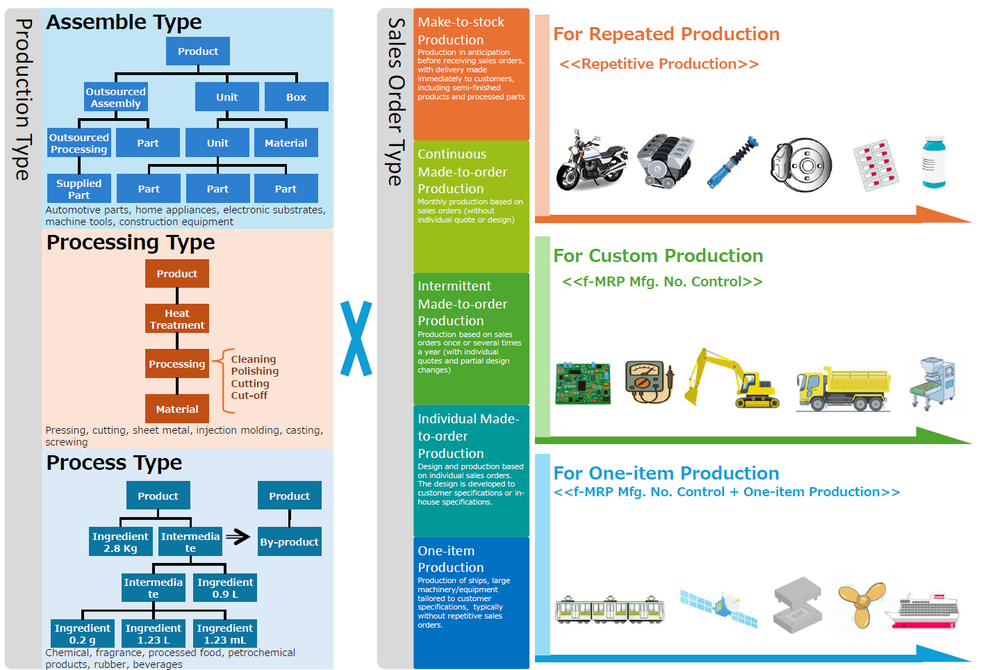
One System for Diverse Production and Order Types
The reality of manufacturing is complex. How products are made, whether through assembly, machining, or other production methods, is closely intertwined with how orders are received, from make-to-stock and make-to-order to rush orders and one-off production.TPiCS adapts seamlessly to every combination of production type and order type using its standard functionality, with no add-ons required.Rather than forcing your operations to fit the system or relying on superficial customization, TPiCS provides a flexible and robust platform that adapts to the way you manufacture. Make the most of this powerful tool to strengthen and refine your production management capabilities.
Ver5.2の新機能・機能強化
▪製番ジャーナル機能と受注の受付区分
製番管理もジャーナルで計画管理 (fMRP製番、製番管理システム機能)
製番展開時の手配遅れや引当不足を警告し、異常を早期に発見します。
受注の仮受付に生産回答 (受注販売OP)
特急受注時は自動で仮受付状態とし、ジャーナルで負荷を確認後に納期を回答する運用を支援します。
▪リソース管理のメンテナンス計画作成
消耗予定からメンテナンス計画作成 (リソースOP)
設備の累積稼働や周期に基づき、保全計画を自動で立案します。
設備メンテナンスを考慮した計画立案 (リソースOP)
保全期間の能力を自動で制限し、現場に無理のない生産計画を生成します。
メンテナンスに必要な交換部品の発注 (リソースOP)
保全に必要な資材の所要量を計算し、在庫不足時は自動で手配します。
▪フリーロケーションの払出
フリーロケーション、複数倉庫に対応した払出管理 (払出管理OP)
優先順位や距離に基づく設定から、最適な保管場所を自動判別してピッキング指示を作成します。
▪工程管理の機能強化
工程の着手に合わせた前工程の手配 (工程管理OP)
部品を使用する詳細工程を指定でき、その着手予定日に合わせて材料を的確に手配します。
▪送料管理
受注・出荷の送料/発注の送料持ち管理可能に (受注販売管理OP)
運賃や梱包費を費用アイテムとして受注や注文に紐付け、モノとカネの動きを正確に管理します。
▪連携機能強化
WebAPIのサービス化 (トランザクションインターフェースOP)
バックグラウンド稼働と並列処理に対応し、他システムと高速かつ安定して連携します。
ファイル入出力 I/F リニューアル (標準機能)
ExcelやJSON形式に標準対応し、SQLプレビュー機能で出力前の確認が可能になりました。
▪other
「現場の時間」と「システム日付」をDateTime型で管理 (標準機能)
日跨ぎの夜勤シフトでも、論理的な作業日とリアルな日時を分離し、正確な実績管理を実現します。
For Repeated Production
≪ Repetitive Production System ≫
▪Responding to demand changes and achieving stable production
Automatically creating optimal production schedules based on the projection of sales orders and demand
The system automatically creates a schedule that exactly matches the required quantity by allocating inventory and order balance (open order) through MRP calculations (f-MRP). A variety of parameter settings flexibly support quantity summarization by lot size and period, as well as schedule calculation based on lead time. The development of optimal production schedules is supported.
Journals warn of schedules that may not be completed on time.
A journal (warning information) notifies you immediately if MRP calculations determine that an arrangement cannot be made on time. It clarifies when, what, and how many items will be out of stock, and which shipping will be affected, allowing for early, swift decision-making and action.
"Base Stock" setting to respond to short delivery times and demand changes
For products requiring short delivery times and long-lead purchased items, setting the "Base Stock (buffer inventory)" develops a schedule that responds to changes.
This achieves a stable production that adapts to demand changes.
Visualizing process load and leveling them to create a feasible schedule
The system visualizes load with a Gantt chart, allowing for easy production adjustments.
Moreover, automatic leveling calculations avoid load concentration, developing a highly feasible schedule that matches the actual situation at the site.

Recommended Options
For Custom Production
≪ f-MRP Mfg. No. Control System ≫
▪Flexibility to specifications change for each sales order
Supporting high-mix, low-volume and build-to-order (BTO) production
This option allows you to add and change parts as well as adjust processes for each order, achieving flexible responses to high-mix low-volume production and BTO production. Complex master management for each product is not required.
Adding optional parts with intuitive operations
An option structure can be registered as the master, and optional parts can be added to a Mfg. No. structure tree by drag and drop, in addition to arrangement using option codes.
Visualizing production schedules
Mfg. No. detail Gantt charts allow for checking production and shipping schedules of each order at a glance. Delivery dates can be smoothly adjusted for individual orders.
Individual cost management by order
Mfg. No. Cost Details can be used to accurately aggregate costs by order, which helps identify scheduled costs, actual cost results, and anticipated costs.

Recommended Options
For One-item Production
≪ f-MRP Mfg. No. Control
+ One-item Production Option ≫
▪Also supports one-off production, such as individual design production and prototyping
No master registration required
You do not need to prepare a master in advance: simply registering project schedule data for production arrangement automatically creates the master.
A variety of production schedule creation methods tailored to sales order and production types
-You can import drawing structures from CAD and other files to convert them into manufacturing BOMs for production arrangement.
-Basic structures are available for production patterns. You can add structural changes for production arrangement.
-You can copy past schedules and arrange production while adding, correcting, and deleting structures.
Responding to design changes
You can find items that do not need arrangement due to design changes or items that require additional arrangement, allowing for canceling or adding arrangement. In addition, parts that are no longer needed can be diverted to other projects.
Handling a mix of individually designed items and general-purpose items (f-MRP)
Within a single structure, you can handle a mix of "Mfg. No. Control Items" for individual made-to-order production and "Items Calculated by MRP using f-MRP" for repetitive production.This supports optimal production control according to product characteristics.

Recommended Options
Support Various Production Types×Support for Diverse Order Types
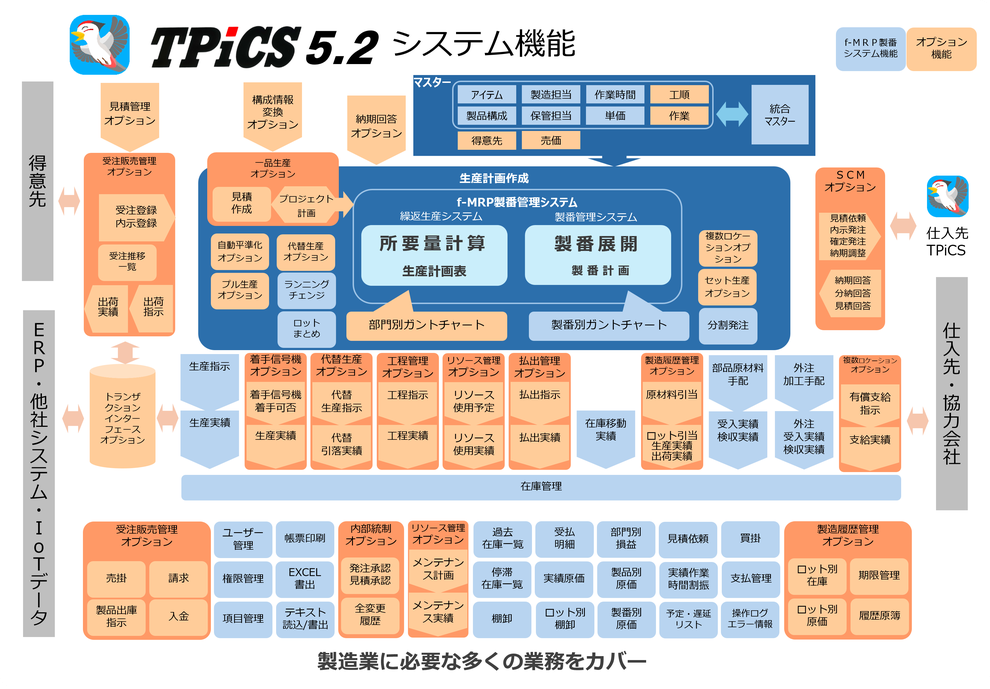
schedule-creating functions
Schedule Development for a Wide Range of Sales Order Types
■ MRP calculations(f-MRP)
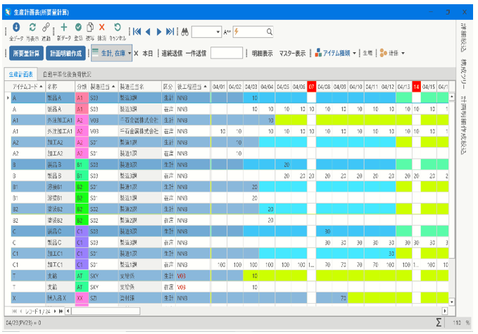
For highly repetitive mass-produced products (items), production schedules are automatically created based on the schedule that follows manufacturing lead times, lot-sizing, etc., from sales orders, forecasts, and the anticipation based on sales projection and arrangement of end parts according to the bill of materials.
・Journal
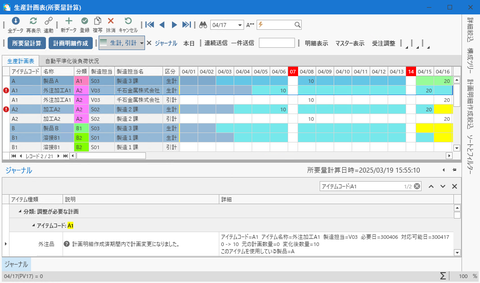
If a calculation from the current inventory and future use plans indicates that additional arrangements of production or purchase orders are required, and the situation requires human judgment (for example, when the procurement lead time has already been exceeded), the system displays the issue in a journal for a prompt response.
■ Mfg. No. explosion (Mfg. No. control)
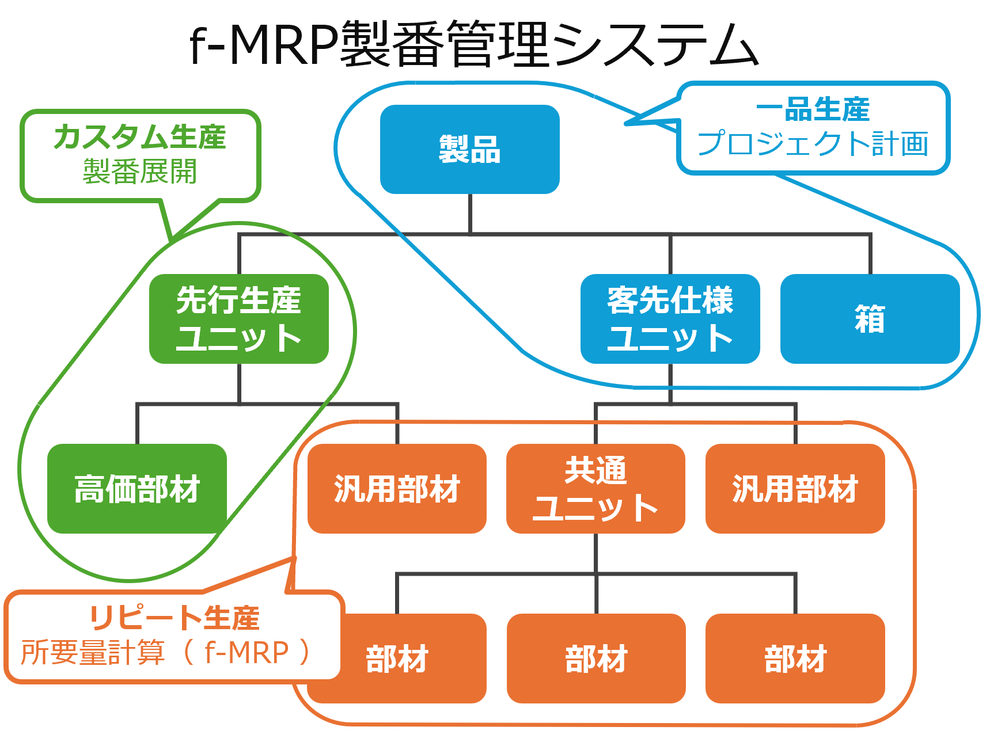
Arrangement schedules can be created by selecting the method suited to the management characteristics of products, units, and materials. You can select a method from the following: creating Mfg. No. schedules through sales order registration, making arrangements with a preceding Mfg. No. and allocating Mfg. Nos. with specification changes in the later sales order, and giving a Mfg. No. name to a schedule generated by f-MRP.
・Journal
If the explosion of a Mfg. No. schedule indicates that the manufacturing lead-time or purchase order lead-time has been exceeded or that the allocatable quantity will be insufficient due to a defect, the journal will be displayed, allowing you to respond to it promptly.
■ Supporting various sales order types with by-item management methods
Settings for f-MRP, B-Seiban, S-Seiban, and F-Seiban can be made for each item, allowing for highly flexible management with structures using Mfg. Nos. at product and unit levels and using f-MRP for common units and general-purpose parts.
basic functions
Masters that Support Various Production Types
■ Optimal production schedule with item parameters
You can set parameters such as lot, manufacturing lead-time, f-MRP, and Mfg. No. control for each item to create optimal schedules. A schedule can be developed according to various management points throughout manufacturing processes, such as intermediate units, processes, outsourced processing, and supply.
■ Abstraction and scalability with items
Not only products and parts but also management elements such as work and costs are abstracted as items. Even if a product is changed into an intermediate unit or a part is sold as a service part in the future, they can be maintained flexibly without the need for rebuilding the master data.
■ Multi-level product structure
A structure can consist of up to 128 levels per product with an unlimited number of items. This function also supports automatic structure switching by applicable start date and end date, as well as structure of parts replacement according to options specified in Mfg. No. control.
■ Running change (automatic switchover)
Simply registering the old and new parts causes the system to calculate the depletion timing of inventory and automatically switch to new parts when they run out. This prevents dead inventory of old parts.
■ Consideration of defect rate (yield rate)
You can specify the defect rate for each structure separately. In anticipation of a decline in yield, an extra quantity is automatically calculated and added, allowing for an appropriate arrangement that prevents stockout.
Instructions to execute schedules and actual results
■ Arrangement and instructions at the optimal timing and conditions
The system makes accurate and efficient arrangement to the site and business partners based on the schedule.
Issuance of various instructions:Order documents, work instructions, etc. are issued and sent at the optimal timing according to the lead time.
Express instructions alert:Arrangement with an exceeded lead time are automatically given an "express" mark to indicate the degree of urgency.
Automatic application of arrangement condition:The system automatically applies the optimal conditions according to the purchase order lot, etc., including automatic selection of the lowest unit cost supplier or the splitting of purchase orders.
Setting standard time:The standard work and setup time are automatically set in an instruction.
■ Actual result management to support accurate schedules for the future
The purpose of entering actual results is to "create an elaborate schedule for the next time" by monitoring the current inventory and progress. It allows you to reduce on-site load and collect data.
Actual production results and automatic withdrawal:After work is completed, the recording of actual results and the withdrawal of child parts are completed simply by clicking a button, instantly reflecting them in the inventory.
Two-stage management (receipt and acceptance):Two-stage management, the receipt of the actual items and quality check, help accurately monitor the available inventory.
Arrangement and instructions at the optimal timing and conditions:Irregularities, such as defects, are converted to data to prevent stockout and omissions of arrangement.
QR code entry:The system instantly identifies the target, reducing the load for data entry and errors.
Integration master
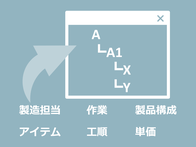
A function for centralized management, which allows you to register and update master information of items, product structures, unit costs, processes, etc., in a single screen.

A/P, payment, A/R, billing, and cash receipt
Achieves centralized management from accounts payable and payments for purchasing data to accounts receivable, billing, and cash receipts for sales data. Journal entry linkage with accounting software is also supported.

Inventory control, in-and-out management, and counting
Inventory is updated in real time with daily actual results. Inventory counting and cycle counting without stopping the factory reduce on-site load

Calendar
Operating calendar:A working day calendar of suppliers, supply sources, customers, and production locations. Almost an unlimited number of calendars can be registered.
Capability calendar: You can register calendars showing daily production capability for each production location.
Production schedule buckets: Daily
, weekly, monthly, and shift buckets are available. The maximum number of buckets is 365.
Quantity conversion and multiple units
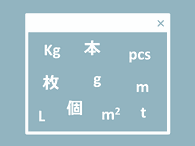
You can register different units, quantities of contents, and unit prices for the same item, so you can place orders in units suited to the number of orders. The numerical values in a production schedule can be converted according to instructions, inventory lists, and bill of materials, and the values of products and materials can be displayed in different units.
You can also register sales orders at different units and selling prices (Customer Order & Sales Management OP).

Pivot aggregation of production schedule table
The Excel-like Pivot Table function aggregates and analyzes production schedules, actual production results, actual withdrawal results, and sales order shipping data.
The aggregated data can be displayed as a graph, and the graph can be exported to an Excel file or as an image.
The conditions for aggregation can be memorized, showing various analyses quickly.
File input and output
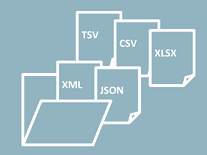
Data from all tables and views can be exported in CSV or Excel format and imported from CSV or Excel files.
Importing transaction text Imports data created outside, enabling the same process as the registration using in a form.
Registering SQL allows you to register export patterns with narrowed-down data.
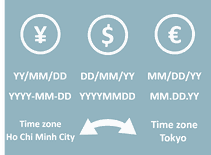
Global operations supported
Multilingual operations supported:The system supports sales orders and purchase orders in international currencies such as the dollar and euro. It also responds to procurement from overseas suppliers seamlessly in the local currency.
Reflecting time difference:When the DB server and a production site are in different time zones, the system displays the date and time as well as imports data with the time difference reflected.

User and authority management
Roles can be specified for each user. You can customize roles that suit the site. For each role, you can hide or show forms, toggle read-only view, control the display of execute buttons and settings panels, and restrict usable actual result classes.
By using the Windows login user, you can manage logins through Windows authentication.
Common Operability Across All Forms
■ Simple search:search Any item supports various conditions for search, such as exact match, partial match, containing particular characters, greater than, less than, and negation.
■ Data narrow down: You can narrow down any item by combining multiple filtering conditions with "and" and "or," similar to the search function. Registering the narrow-down conditions allows you to switch filters quickly.
■ Sorting: Any item can be sorted in ascending and descending order.
■ Filter: Any item can be filtered like Excel.
■ Grouping: Groups data based on any item.
■ Data aggregation: Instantly calculates the sum, average, maximum, minimum and the number of items on the grid.
・Total aggregation: Aggregates the displayed data.
・Group aggregation: Aggregates data for each group.
■ Export as CSV/Excel:Exports displayed data as is in CSV or Excel format, which can be used for analysis and document creation.
■ Selection of a range of cells in the grid: You can copy and paste selected data as in Excel.
■ Structure tree display and narrow down: Displays a visual tree of structure information (BOM) that allows you to filter for the items contained in that structure.
■ Item type narrow down: You can narrow down items according to their type, such as product, purchased item, and intermediate product.
■ Display magnification: The display magnification of the screen can be set per form for each user according to the resolution of the PC. All the forms can be set to the same magnification.
■ Sorting items: Items can be sorted by drag and drop.
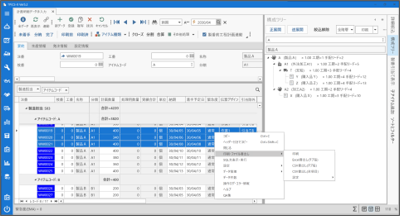
Advanced Customization by Settings

User items can be added to all forms and tabs without program development:
・Caption Change
・Tab Order
・Input Required
・Default Value
・Background Color
・Font Size
・Drop-down list
・Image
・Hyperlink
・Specification of Search Panel for Masters
・Select Statements for Displayed Data

Excel form templates are available as standard and can be changed by the user.
・Work Instruction
・Outsourced Processing Request Form
・Purchase Order
・Request for Quotation
・Material Supply Work Instruction
・Quotation
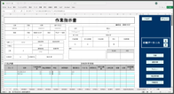

Table linkage achieves bi-directional linkage of transaction data with third-party systems and add-on systems.
Text linkage in CSV format is also supported.
・Production Schedule
・Mfg. No. Schedule
・Project Schedule
・Schedule Details
・Actual Production Results
・Actual Receiving/Acceptance Results
・Sales Order Data
・Actual Shipping Results
・Detailed Process Schedule Details
・Actual Results of Detailed Process
・Actual Issue Results

Real-time data linkage with various systems without the need to build a web server.
API command transmission allows for importing data in real time and checking the import results.
・Linkage with Handheld Terminals and Tablets
・Linkage with Various Cloud Services
・Schedule Details
・Actual Production Results
・Actual Receiving/Acceptance Results
・Sales Order Data
・Actual Shipping Results

The data displayed to each user can be filtered in SQL WHERE clause conditions, and editing can be restricted.
・You can register only the actual results of the manufacturing department to which the user belong.
・You can specify the items that are displayed and can be edited for each person in charge.

User-defined forms can be created.
Examples
・Master Registration Form for add-on Systems
・Form for Displaying SQL-Based Aggregated Data
・Tab Addition Supported
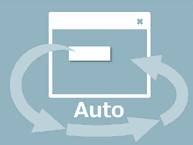
Standard processing is automatically executed.
・Automatic Scripting of Operations through Macro Recording
・Executing Scripts from the User Button
・Executing Scripts Regularly
・Executing Scripts at Startup as a Command Line Argument for the System

The user button and "My Menu" in the main menu that allow you to call other applications
Examples
・Starting a Linked Add-on System
・Starting a Third-party System
・Executing Scripts
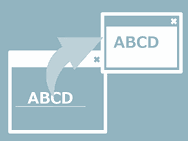
Data in the grid can be transferred to other applications.
Examples
・Displaying work procedure documents using the item code of the selected record as a key
・Displaying drawing data based on the drawing number of the selected user-defined field

Calling external systems and transferring data after key processing.
Examples
・Outputting a schedule created after the creation of schedule details to an add-on system.
・Calling an external system and outputting data subject to printing using the [Print] button on the purchase order form issuing screen.